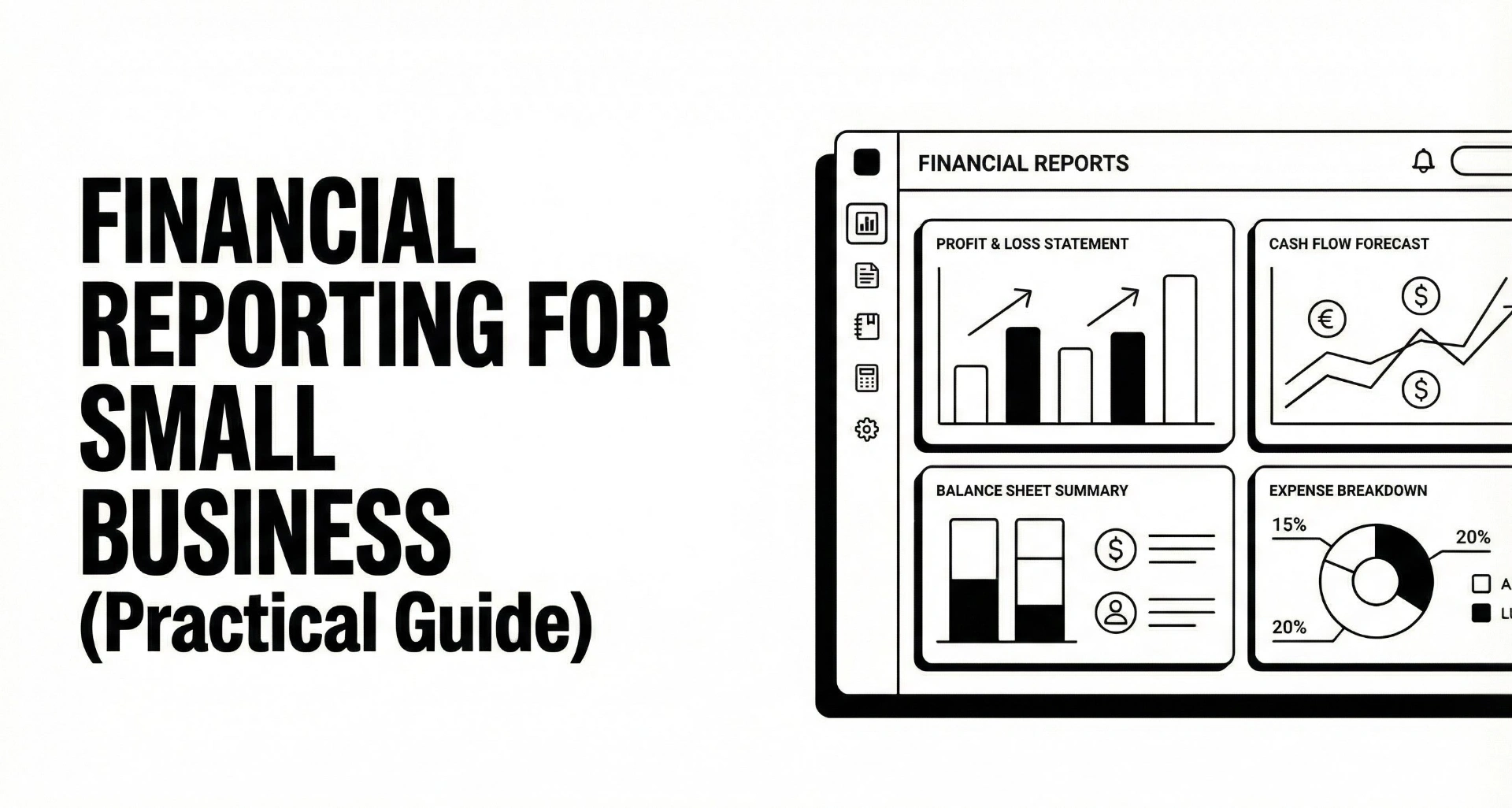
Financial Reporting for Small Business (Practical Guide)
Financial reporting sounds like something only “real companies” do, the kind with a finance team, board decks, and a monthly close that happens like clockwork.
In reality, financial reporting is just the habit of turning your business activity into numbers you can trust, then using those numbers to make decisions.
If you are a freelancer, consultant, agency owner, or running a small service business, financial reporting is the difference between:
- feeling profitable but being cash-stressed
- doing a ton of work but not knowing what actually makes money
- chasing invoices reactively instead of running a predictable system
This guide is designed to be practical. You will learn what financial reporting includes, what to produce each month, and how to build a simple reporting workflow that does not require becoming an accountant.
And because reporting quality depends on input quality, we will also cover the most common reporting bottleneck for small businesses: accounts receivable and late payments. If you want a straightforward way to keep invoices moving without the awkward manual chasing, you can also check Can You Pay That as an automatic invoice follow-up system built around polite reminders and a clean client experience.
Key takeaways
- Financial reporting is how you turn transactions into decision-ready information (for you, and sometimes for others).
- Most small businesses only need a simple monthly “owner pack”, plus a weekly cash snapshot.
- The core financial statements are the income statement, balance sheet, cash flow statement, and equity or retained earnings.
- The reliability of your reports depends on a repeatable close process (reconciliation first, reporting second).
- Accounts receivable (who owes you money, and how late they are) is often the hidden reason reports feel “wrong”.
- Automating invoice follow-up improves cash visibility, stabilizes forecasting, and makes month-end less stressful.
What is financial reporting?
Financial reporting is the process of preparing and sharing financial information that explains:
- what your business owns and owes
- how it performed over a period
- how cash moved in and out
- what changed in the business’s financial position
In formal settings, these are called “general purpose financial reports” and they are meant to help users make decisions, especially around providing resources (lending, investing, extending credit).
For a small business, the goal is simpler:
Make decisions with clarity.
Pricing, hiring, runway, taxes, dividends, new tools, new markets, and whether you can afford that big project discount.
Financial reporting vs bookkeeping vs accounting
These terms get mixed together, so here is the clean distinction:
- Bookkeeping is recording transactions (invoices, payments, expenses, deposits).
- Accounting is classifying, reconciling, and applying rules (timing, categorization, accruals, adjustments).
- Financial reporting is presenting the results in a structured way (statements, dashboards, KPIs) so decisions can be made.
You can have “bookkeeping” without good reporting. Many businesses do. They have data, but not trust.
Internal reporting vs external reporting
A fast way to think about reporting is who it is for:
- Internal reporting is for management and owners. It is flexible, tailored, and built for decisions.
- External reporting is for outside parties (banks, investors, regulators, tax authorities, sometimes partners). It is more standardized.
Most small businesses primarily need internal reporting, but you still benefit from using the standard structure because it makes your reports easier to understand and compare over time.
The core financial statements (and what each tells you)
Most guides you find online anchor financial reporting around the main financial statements. That is still the right starting point.
According to the SEC’s beginner guide, the “main financial statements” include the balance sheet, income statement, cash flow statement, and the statement of shareholders’ equity.
Under IFRS presentation guidance, a “complete set of financial statements” includes the statement of financial position, profit or loss, cash flows, changes in equity, and notes.
For small business owners, you can focus on what each statement answers.
Quick map: statement to decision
Statement | What it answers | Owner decisions it supports |
|---|---|---|
Income statement (P&L) | Did we make money over this period? | Pricing, expenses, hiring, service mix |
Balance sheet | What do we own, what do we owe, what is left over? | Cash safety, debt, receivables health |
Cash flow statement | Why did cash increase or decrease? | Runway, timing of payments, seasonality |
Equity / retained earnings | How profits accumulated or were distributed | Dividends, reinvestment, long-term stability |
Now let’s break them down in plain language.
Income statement (profit and loss)
Your income statement shows revenue minus expenses over a period (month, quarter, year).
What owners often miss is that “profit” depends on recognition timing. If you are invoice-based, project-based, or retainer-based, the story changes depending on when you bill and how consistently you collect.
If your agency sends a large invoice at the end of a project, your income statement can look volatile. If you use milestone billing or retainers, it smooths out. If you want practical guidance here, read deposit vs milestones vs retainers and choose a structure that supports predictable revenue.
Small business reporting tip:
For internal reporting, add a simple split:
- revenue by service line
- expenses by category
- “owner add-backs” if relevant (only for internal clarity)
Balance sheet
The balance sheet (statement of financial position) is a snapshot at a point in time.
For small businesses, the most important balance sheet items are:
- Cash (and cash equivalents)
- Accounts receivable (unpaid invoices)
- Accounts payable (unpaid bills)
- Taxes owed
- Debt (loans, credit lines)
If reporting feels confusing, it is often because the balance sheet contains the truth about timing. A business can be profitable and still be cash-poor if receivables are slow.
Cash flow statement
A cash flow statement explains where cash came from and where it went.
Owners love this one once it is working, because it reduces stress. It answers questions like:
- “We made profit, why is cash down?”
- “We had a great month, why do we feel broke?”
- “If receivables slip by two weeks, what happens?”
In service businesses, cash flow tends to be dominated by:
- client payment timing (AR)
- payroll and contractors
- software stack
- taxes
Statement of equity or retained earnings
If you are not a corporation with shareholders, you may ignore this statement formally.
But the concept is still useful: it shows how profits accumulate over time and how much you pull out vs reinvest.
Owners often confuse “cash in the bank” with “money I can safely take out.” This statement helps separate business stability from owner distributions.
Financial reporting standards in plain English (IFRS, GAAP, and what applies)
You do not need to memorize standards to benefit from them.
Standards exist to make reports comparable, consistent, and useful. The IFRS Conceptual Framework explains that general purpose financial reports aim to provide information useful to investors, lenders, and other creditors in making decisions about providing resources.
Under IFRS presentation guidance (IAS 1), entities present a complete set of financial statements at least annually and the standard sets minimum content and structure expectations.
In the US, the FASB Conceptual Framework similarly explains objectives and fundamentals that guide financial reporting standards.
What small businesses should do with this
- Use the standard structure even for internal reporting.
- P&L, balance sheet, cash flow, AR aging.
- Be consistent over time.
- A “perfect” report that changes format every month is less useful than a “good enough” report that is stable.
- Match reporting to your needs.
- If you are not raising money, you probably do not need complex disclosures. If you are applying for financing, you need clean statements and strong AR hygiene.
The small business financial reporting pack (what to produce monthly)
Most small businesses do not need a 40-page reporting deck.
You need a repeatable pack that answers:
- Are we profitable?
- Are we liquid?
- Are we getting paid on time?
- Are we trending in the right direction?
- What needs action next?
The 5-report “owner pack”
Here is the simplest monthly pack that works for most businesses:
- Income statement (monthly, plus YTD)
- Balance sheet (as of month-end)
- Cash flow summary (can be simple)
- Accounts receivable aging (who owes you money, how late)
- One-page KPI dashboard (10 numbers max)
For agencies and freelancers, add one more optional piece:
- Project margin snapshot (revenue vs delivery cost, per project or per client)
Why AR deserves a permanent slot
Because AR is where “profit” becomes “cash”.
If you do not include AR aging in your reporting pack, your reporting is incomplete for decision-making. Cash planning becomes guessing.
To build your AR workflow alongside reporting, use this guide: accounts receivable best practices. It is designed to be implemented without a finance team.
Accounts receivable is the reporting bottleneck nobody talks about
Here is what often happens in small businesses:
- You run a P&L, it looks fine.
- Your bank balance feels stressed.
- You assume you have a “profit problem”.
- You actually have an AR timing problem.
This is why AR belongs inside financial reporting.
AR aging, in one minute
AR aging groups unpaid invoices by how late they are, for example:
- Current (not due)
- 1–30 days overdue
- 31–60 days overdue
- 61–90 days overdue
- 90+ days overdue
Aging tells you whether your “cash is coming soon” or “cash is at risk”.
It also improves forecasting because you can apply realistic expectations based on history.
A simple AR process step by step
This is the owner-friendly AR process that pairs well with reporting:
- Invoice fast (same day value is delivered)
- Invoice correctly (right contact, PO requirements, attachment, clear due date)
- Remind before due date (friendly heads-up)
- Remind on due date (neutral, factual)
- Escalate after due date (calmly, with a clear next step)
- Log all touches (so you know what was sent and when)
- Stop when paid (so you do not annoy good clients)
That “log + stop” pair is where most manual systems break.
If you want the “set rules once” version, read the automatic invoice reminders guide. Then use the free invoice reminder schedule builder to generate send dates and copy for your exact due date.
Templates and timing that reduce late payments
In service businesses, late payments are often not malicious. They are operational:
- invoice buried in inbox
- approval chain
- vendor onboarding step missing
- wrong AP contact
- no payment link or instructions
Your reminder emails should assume good faith, stay short, and be easy to route internally.
Use either:
- invoice reminder email templates for common schedules, or
- a single polite invoice reminder email template with variations depending on stage.
Reporting connection:
Every day an invoice remains unpaid changes your cash forecast and your month-end story. AR is not “admin”, it is a reporting input.
Month-end close, step by step (so your reports are trustworthy)
Financial reports are only as good as the close process behind them.
A month-end close is commonly defined as reviewing and finalizing financial activity for a month and preparing financial statements.
A practical close also includes reconciliation and analysis. A period-end checklist often emphasizes steps like reconcile accounts, prepare financial statements, and complete analysis/reporting.
Pre-close habits (weekly)
If you do these weekly, month-end is dramatically easier:
- Reconcile bank transactions weekly (or at least review for missing items)
- Keep receipts and bills captured (avoid end-of-month scramble)
- Review AR once a week:
- what is due this week
- what is overdue
- what is blocked by a dispute or missing PO
If AR follow-up slips when you get busy, that is a strong signal to automate it. You can implement a reminder-first workflow with check Can You Pay That and stop depending on memory.
Month-end close checklist (small business version)
Here is a clean, repeatable sequence:
- Lock the period (stop backdating chaos)
- Reconcile cash (bank, Stripe/PayPal, any processor)
- Reconcile AR
- verify invoice list matches your system
- mark paid invoices correctly
- identify aged invoices and assign next actions
- Reconcile AP (unpaid bills, contractor invoices)
- Review revenue timing
- deposits, milestones, retainers
- ensure invoices reflect work delivered
- Review major expenses
- payroll, contractors, tools
- any unusual spikes
- Prepare statements
- P&L, balance sheet, cash flow
- Create the “owner pack”
- AR aging + KPI dashboard
- Review and decide
- 3 actions for next month (pricing, collections, cost control)
This is not “enterprise finance”. It is the minimum viable close that gives you confidence.
The 30-minute reporting review meeting (even if it is just you)
Do this monthly:
- What improved?
- What worsened?
- What surprised us?
- What is the one constraint next month (cash, delivery capacity, sales)?
- Which 3 actions matter most?
Financial reporting becomes valuable when it changes behavior.
KPIs that actually help (not vanity metrics)
KPIs should connect to decisions. Otherwise they become dashboard decoration.
Cash and liquidity KPIs
- Cash balance (today and month-end trend)
- Operating cash burn or cash generation (monthly)
- Runway (months of operating expenses covered by cash)
Profitability KPIs
- Gross margin (especially if you use contractors)
- Operating margin
- Revenue per client (agencies)
- Utilization rate (if you track time, but only if it changes staffing decisions)
AR KPIs (the ones that make you calmer)
- AR aging totals (current, 1–30, 31–60, 61–90, 90+)
- Days Sales Outstanding (DSO) (average days to collect)
- On-time payment rate (percentage paid by due date)
- Collection touch count (how many reminders before payment)
If AR is consistently late, your “profit” may be real but your cash timing is broken.
In that case, your fastest operational fix is usually:
- a better billing structure (deposit, milestones, retainers), and
- consistent reminders that do not depend on you remembering
Start with deposit vs milestones vs retainers, then implement reminders using the invoice reminder schedule builder.
Tools and workflows (from spreadsheet chaos to clean reporting)
Most small businesses evolve through stages:
- Spreadsheet + bank balance checks
- Invoicing tool + spreadsheet tracking
- Accounting tool (or bookkeeper) for structure
- Automation around AR and close inputs
- Lightweight dashboards for decisions
The reporting stack options
You typically have three “system of record” choices:
- Accounting suite (accounting-first, reporting built-in)
- Invoicing app (invoicing-first, reporting limited)
- Hybrid (invoicing + accounting, plus an AR layer for follow-up)
Comparison table: accounting suite vs invoicing app vs AR automation
Category | Best for | Reporting strength | AR follow-up strength | Trade-off |
|---|---|---|---|---|
Accounting suite with invoicing | teams working with a bookkeeper | High | Medium | more complexity, setup effort |
Invoicing app with reminders | freelancers who want speed | Medium | Medium | reporting can be limited long term |
Dedicated AR follow-up workflow | frequent invoicers who hate chasing | Medium | High | another layer, but saves time |
If you are deciding between tools, this guide helps you evaluate categories: choose invoice reminder software.
The key insight for financial reporting:
Even if your accounting tool is the source of truth, your reporting quality still suffers if invoices are late and untracked. AR follow-up is part of reporting operations.
A simple framework: financial reporting that runs itself
Here is the system that works for many small service businesses.
Step 1: Decide the cadence
Use this default cadence:
- Weekly (15 minutes): cash + AR review
- Monthly (60–90 minutes): close + owner pack
- Quarterly (2 hours): trend review, pricing, cost structure, hiring plan
- Annual: taxes, compliance, strategic reset
Step 2: Standardize invoice timing (this fixes half your reporting pain)
Slow invoicing breaks reporting in two ways:
- it delays revenue visibility
- it delays cash collection
A simple rule:
- Invoice the same day the client says “approved” or the milestone is delivered.
If you want fewer late payments, structure billing so invoices happen earlier and smaller:
- deposit to start
- milestones every 2–4 weeks
- retainers for ongoing work
Use the breakdown here: billing models that get agencies paid faster.
Step 3: Make AR follow-up consistent (without turning into a debt collector)
Consistency matters more than toughness.
A calm schedule that works well for many businesses:
- 7 days before due (heads-up)
- on due date (neutral)
- 3 days overdue (firm but friendly)
- 7 days overdue (escalation with a clear next step)
You can generate the exact send dates and copy using the free invoice reminder schedule builder.
If you want the automated version where reminders run until paid (and stop automatically), start with the automatic invoice reminders guide, then check Can You Pay That to implement it.
Step 4: Build your monthly owner pack template
Copy this structure:
- P&L (this month, YTD)
- revenue by service line
- top 3 expense categories
- Balance sheet highlights
- cash
- AR total and aging
- AP total
- Cash movement summary
- starting cash
- net change
- ending cash
- AR aging table
- list top overdue invoices
- assign an action owner and date
- KPIs (10 max)
- cash
- runway
- gross margin
- DSO
- on-time payment rate
Step 5: Turn reporting into action
Every report should end with:
- 3 decisions
- 3 actions
- 3 owners (even if the owner is you)
A 30-day implementation plan
If you want this to actually happen, use a short rollout.
Week 1: Clean inputs
- Ensure invoices have:
- correct billing contact
- due date
- invoice number
- PDF attached or portal link
- Pick your reminder templates:
- invoice reminder email templates
- and keep a polite invoice reminder email template for edge cases
Week 2: Build the close checklist
- Add the small business close checklist to a doc
- Block 90 minutes for month-end close on your calendar
- Decide what “done” means (statements + owner pack)
Week 3: Fix AR follow-up
- Generate your cadence with the invoice reminder schedule builder
- Implement automation so reminders do not depend on your mood or memory:
- check Can You Pay That if you want a reminder-first workflow that stays polite and trackable
Week 4: Ship the owner pack
- Produce the pack for the month
- Hold a 30-minute review
- Choose 3 actions for the next month
After one month, your reporting becomes less of a task and more of an operating rhythm.
Conclusion
Financial reporting is not about creating fancy statements.
It is about answering a few core questions with numbers you trust:
- Are we profitable?
- Are we liquid?
- Are clients paying on time?
- What do we do next?
For small businesses, the biggest unlock is often not a new dashboard.
It is fixing the operational inputs that make reporting reliable, especially invoicing speed and accounts receivable follow-up.
If you want to reduce late payments, stabilize cash flow, and make month-end reporting easier, start by automating the awkward part. You can check Can You Pay That to run polite invoice reminders automatically, track what was sent, and stop reminders when invoices are paid.
FAQ
What is financial reporting in simple words?
Financial reporting is the process of turning your business transactions into structured reports (like profit, cash, and what customers owe you) so you can make decisions with confidence.
What are the 4 financial statements?
Commonly referenced statements are the income statement, balance sheet, cash flow statement, and statement of equity or retained earnings.
How often should a small business do financial reporting?
A good default is weekly cash and AR review, monthly close with a reporting pack, quarterly trend review, and an annual reporting cycle for compliance and taxes.
What is the difference between internal and external reporting?
Internal reporting is for owners and managers to run the business, external reporting is for outside parties (banks, investors, regulators) and is typically more standardized.
What is a month-end close and why does it matter?
A month-end close is the process of finalizing transactions and reconciliations for the month so you can generate accurate financial reports.
What AR metrics should I track?
Start with AR aging and DSO, then add on-time payment rate and reminder touch count if late payments are a recurring problem.
How do I reduce late payments without hurting relationships?
Invoice quickly, send friendly pre-due reminders, keep messages factual, include a payment path, and escalate gradually. Using consistent templates and automation helps you stay professional and calm.